
A studio for your
photos and videos.
SEshot is a photo and video gallery for iPhone and iPad. It shows your Photos library and your cloud storage in one place, and adds the tools photographers and filmmakers use to judge and finish their work: camera data, scopes, ratings, colour grading and Log video, all without changing your originals.

Everything about every shot.
Browse your whole library the way a pro would, then rate, grade and share without ever touching your originals.
Read every shot
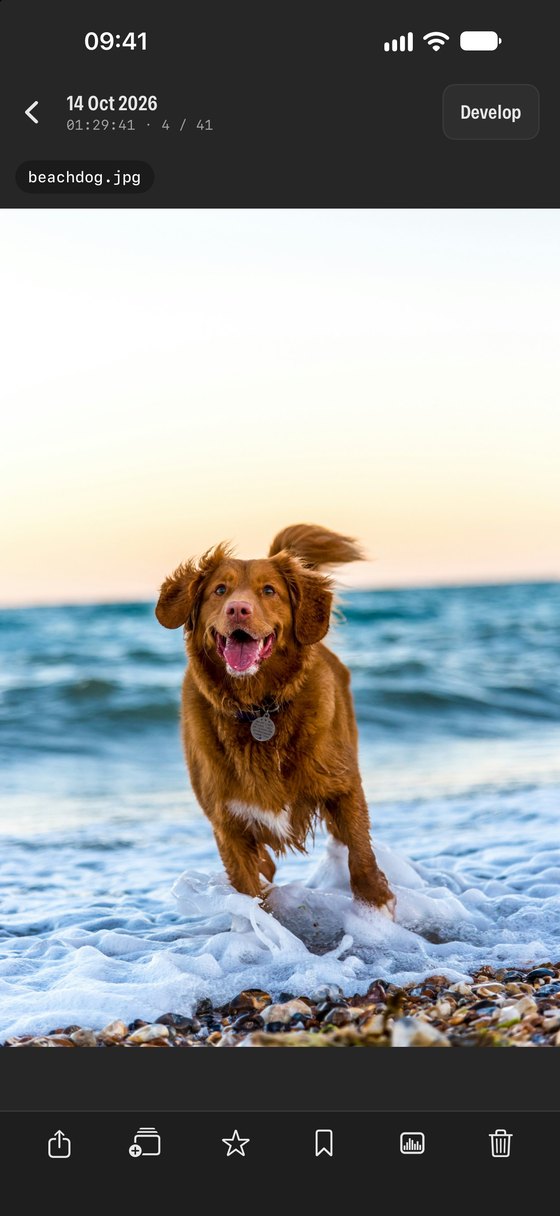
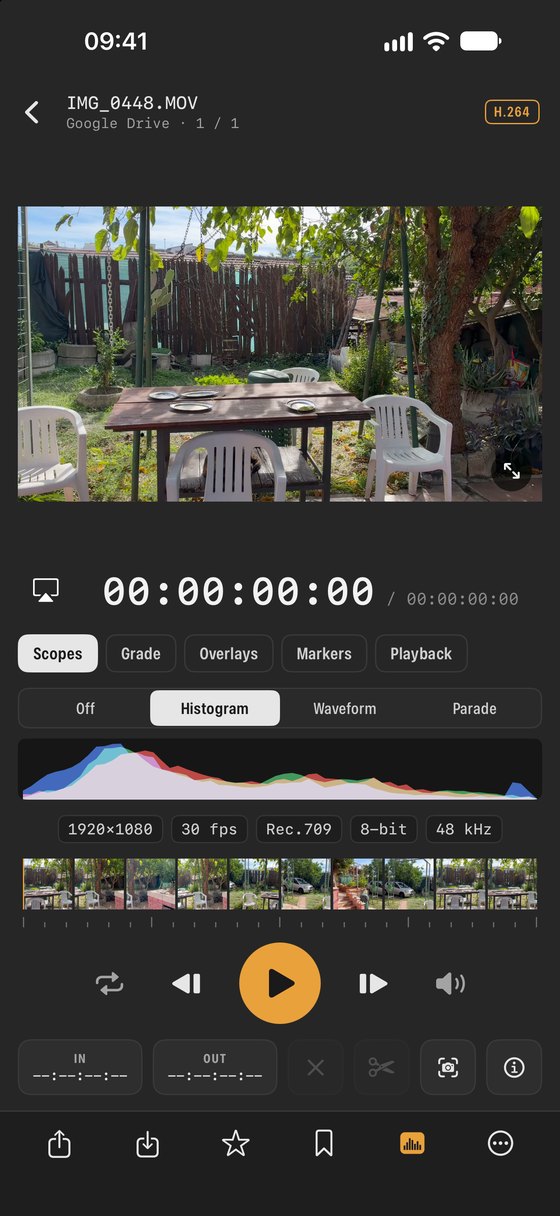
Camera, lens, ISO, shutter and aperture, with a histogram, waveform and RGB parade.
Learn more →Rate and label
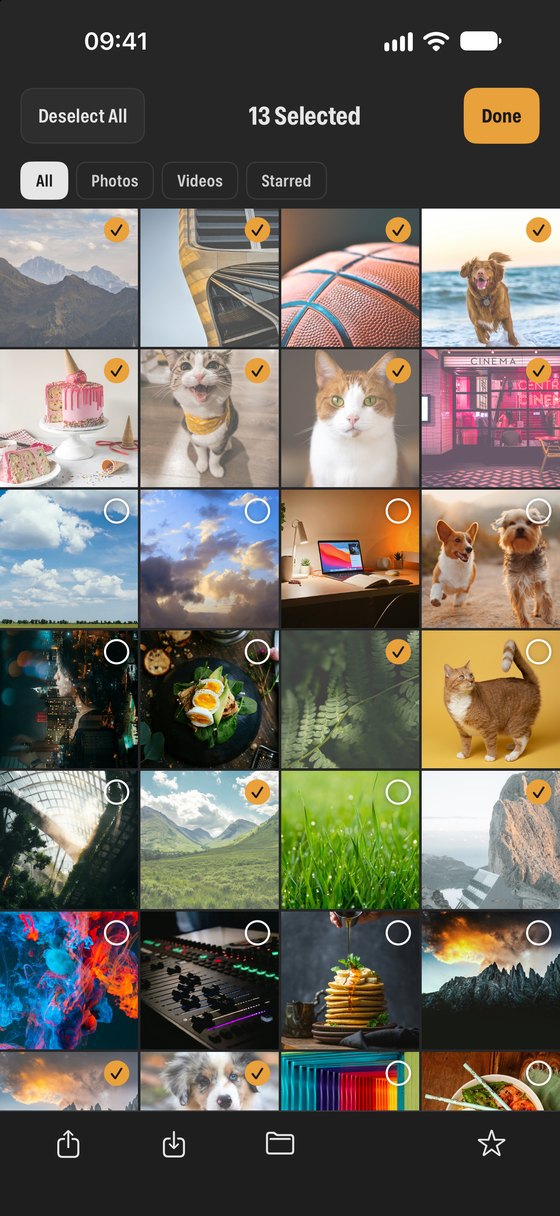
Star ratings and colour labels, with filters and sorting to find your keepers fast.
Learn more →Develop
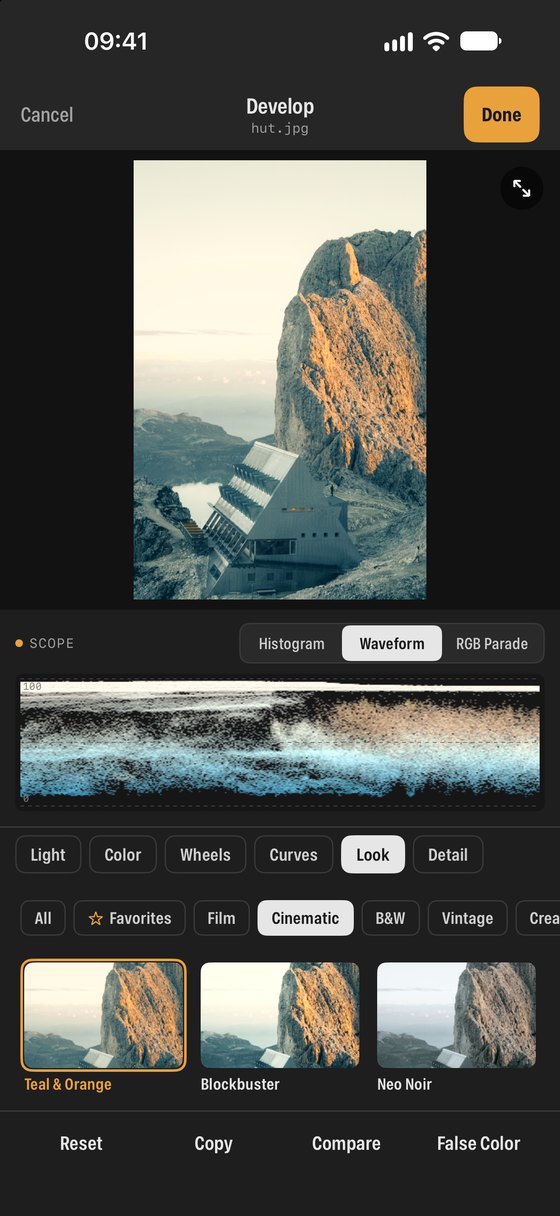
Non-destructive edits, colour wheels and curves, and Looks or your own .cube LUTs.
Learn more →Made for video
Graded playback, Log to Rec.709, false colour, zebras, frame guides and still grabs.
Learn more →Pro filters
Show only RAW, ProRes, Log or HDR; sort by date, name, type, rating or label.
Learn more →Your cloud storage
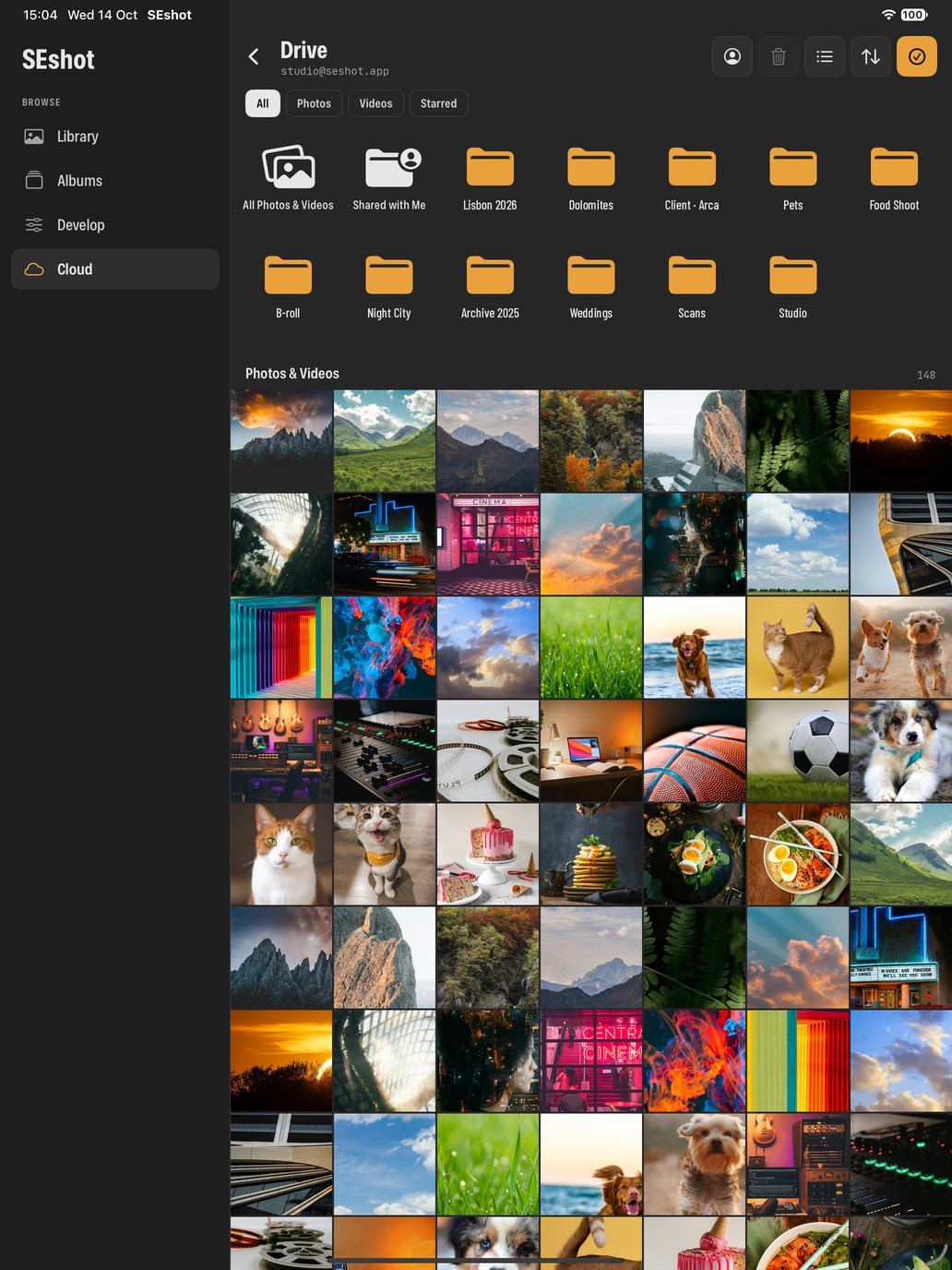
Browse and stream from Google Drive, Dropbox, Frame.io, a NAS and the Files app.
Learn more →From shoot to finished picture, in one app.
A typical session in SEshot has three steps. You can stop at any of them: many people use it just as a faster, calmer gallery.
See everything in one place.
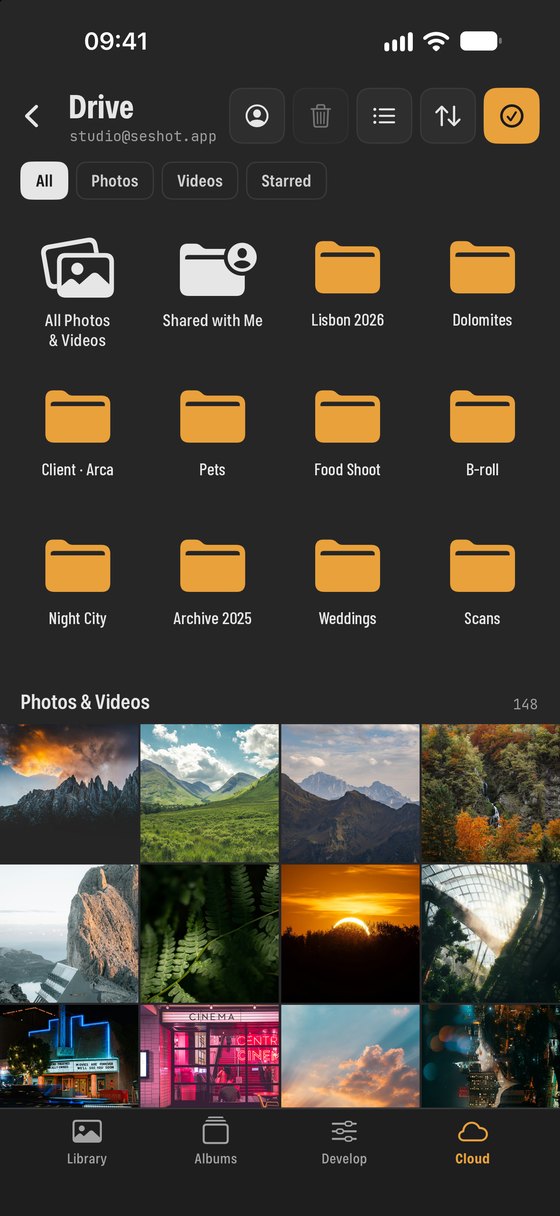
Open SEshot and your Photos library is already there, grouped by month, with the file type on every thumbnail. From the Cloud tab you can add Google Drive, Dropbox, Frame.io, a NAS or anything in the Files app.
Each service appears as folders you browse like your camera roll. Nothing is imported or duplicated: thumbnails and videos load straight from where the files are stored.
Pick the keepers.
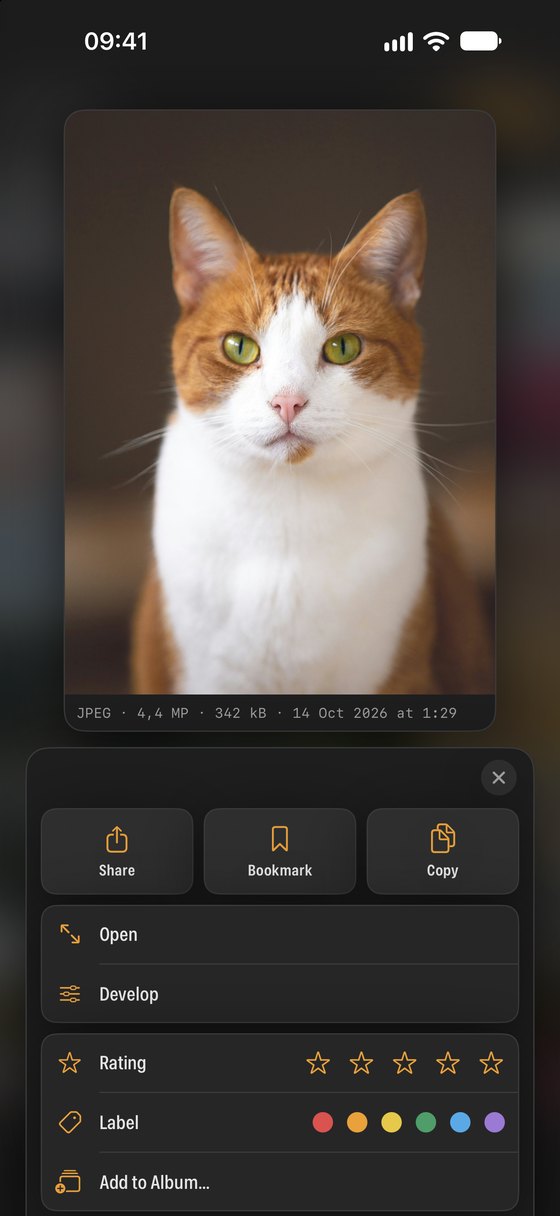
Swipe through a shoot and mark the frames you like. Long-press any photo for a larger preview with quick actions: one to five stars, six colour labels and a bookmark.
Then sort or filter by rating and label to see only the best, in your library and in every connected cloud.
Grade like a colourist.
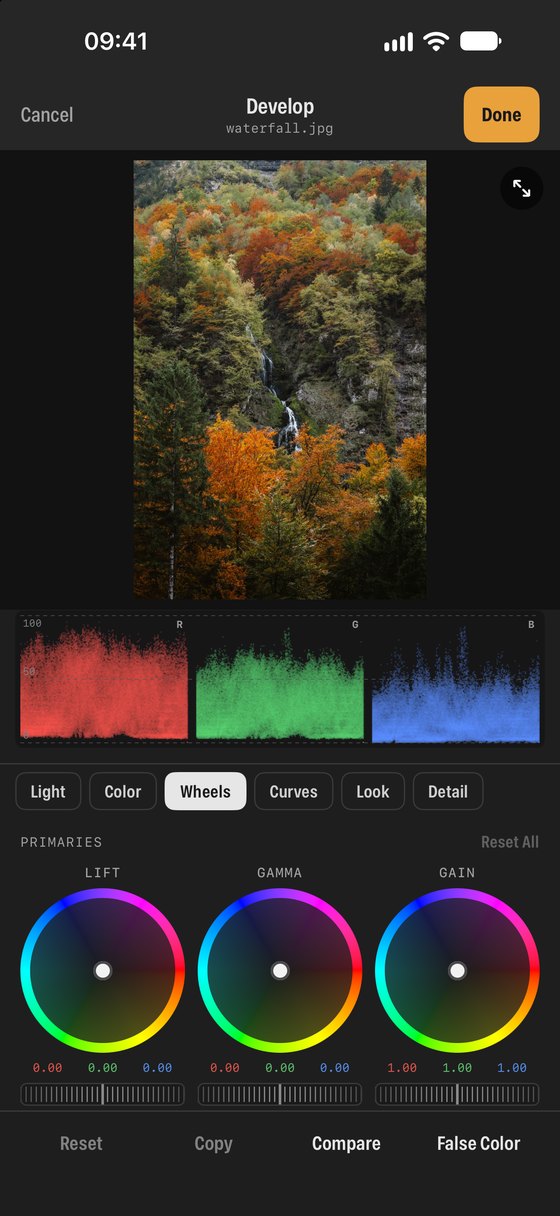
Open a photo in Develop. Start with light and colour sliders, refine with curves and lift, gamma and gain wheels, and check the result on a live histogram, waveform or RGB parade instead of trusting a bright phone screen.
Finish with a built-in film look or your own .cube LUT. Edits are stored as a recipe, so the original is always one tap away. Videos get the same treatment, including Log to Rec.709.
Built for looking at pictures properly.
Even better on a big screen.
On iPad, SEshot uses a sidebar and larger grids, and every tool from the iPhone version has more room.
- Drag photos and videos straight into other apps, such as Files, Mail or an editor beside SEshot.
- Works in resizable windows alongside your other apps.
- Scopes and colour wheels at a size that is comfortable to grade on.
Your files, wherever they are.
Sign in to the services you use. SEshot talks to them directly from your device, and you can disconnect at any time.
Private by design
SEshot has no servers, no accounts and no analytics. Your photos, videos and cloud files go straight between your device and the services you choose, and never to us. Read the privacy policy.